Black · The Eternal Dream · Omori AR

OMORI in Arabic

The complete Arabic fan localization — every line of dialogue, every menu, every battle log, the font itself — made specifically for the Arab OMORI community.

The patch

A complete Arabic translation of OMORI by Black with The Eternal Dream and Omori AR: every line of text translated by hand and reviewed word by word, every interface flipped right-to-left, the font rebuilt for Arabic, and every image localized to match the game's aesthetic.

  • 18,308 translated lines
  • 235 redrawn images
  • 26 technical plugins
  • 1.3 localization version

Drop it onto your existing copy of the game — it never touches the game's own files, and runs alongside the OneLoader mod loader.

What's translated?

Text & dialogue

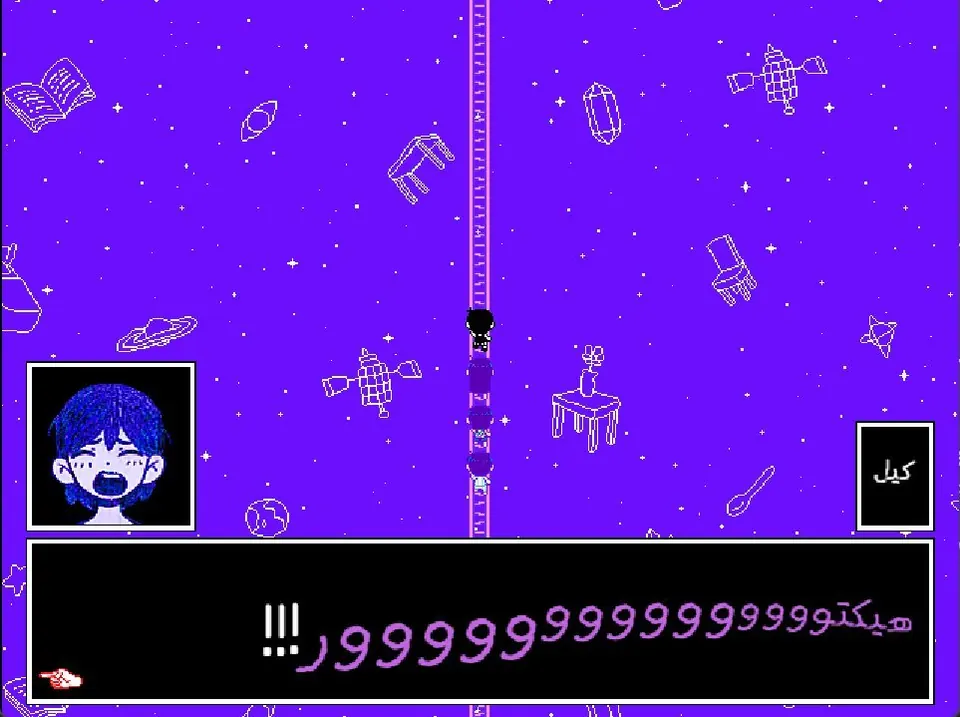
Every line of text in the game: 18,308 lines translated by hand and reviewed word by word — flowing right-to-left with right alignment, fitted to the game's own menus.
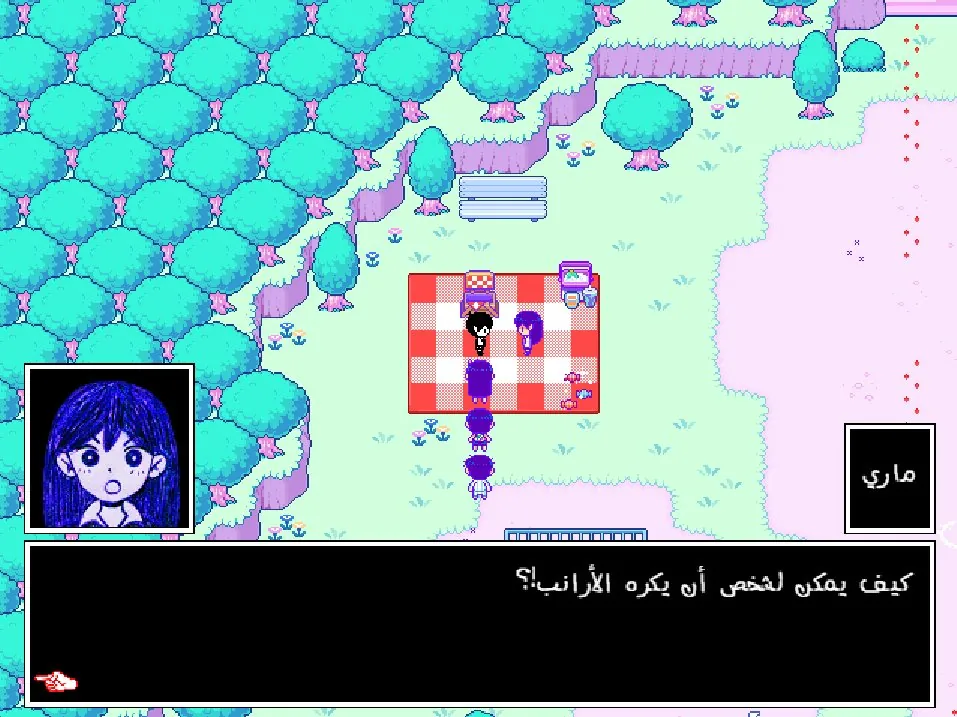
Arabic dialogue about rabbits: Mari's portrait inside the text box above the line “How could anyone hate rabbits?”
Arabic dialogue in Black Space: Kel laughing, his portrait in the text box above a long line of connected letters

Menus

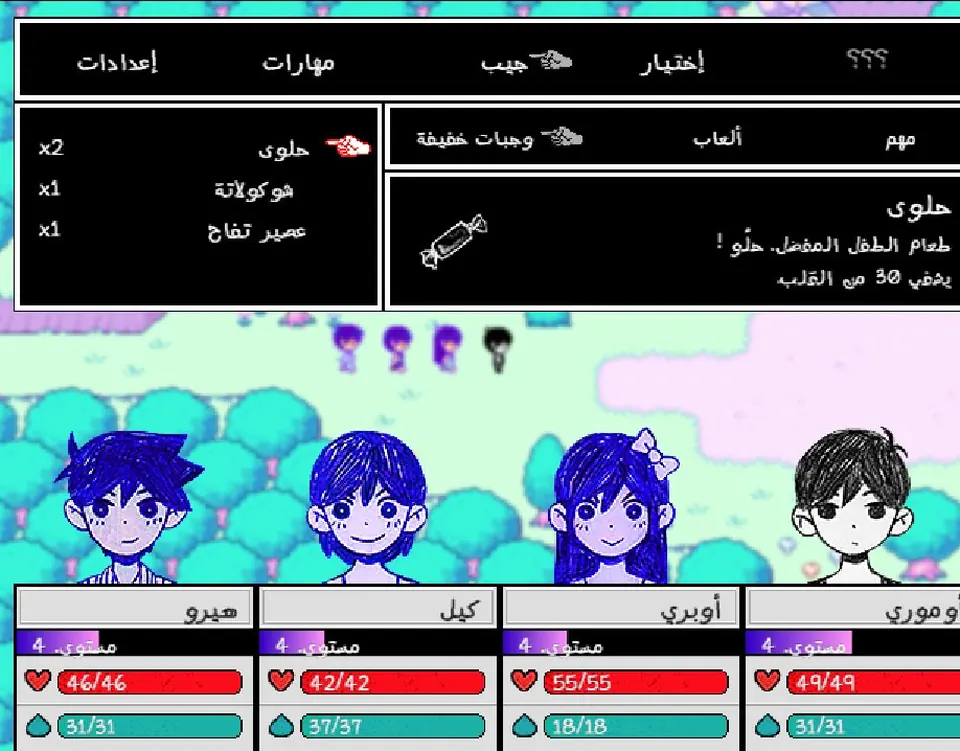
Title screen, options, save/load, shop, mail, quests, the encyclopedia, photo album, name entry, and the mod menu — all Arabic and mirrored right-to-left in the game's own style.
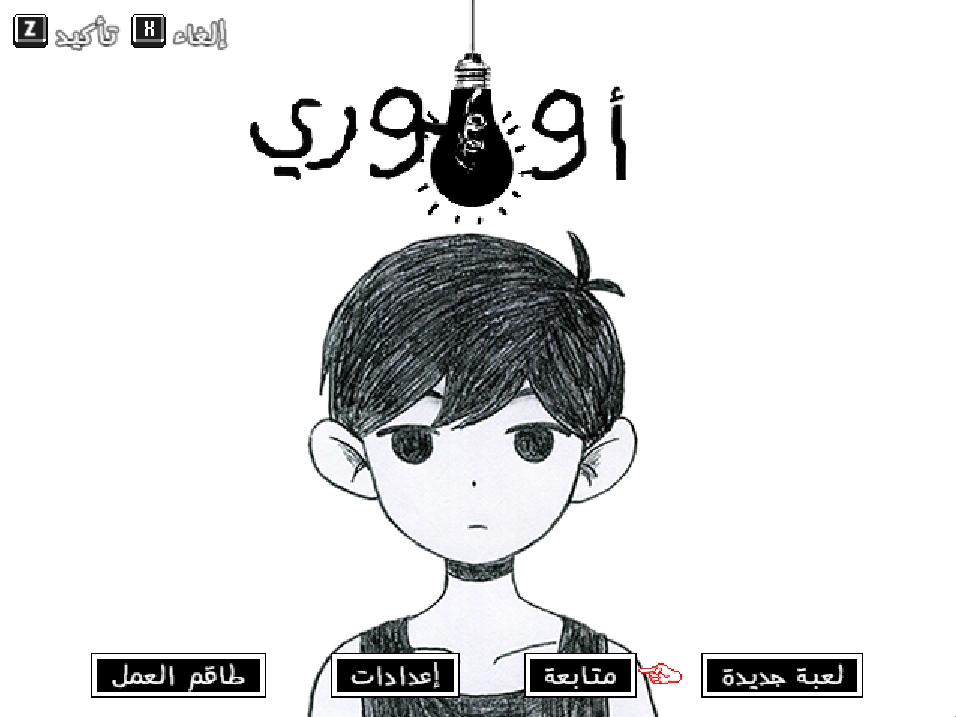
The Arabic OMORI title screen: the hand-drawn Arabic wordmark with New Game, Continue, Options and Credits buttons
The Arabic item bag menu with candy, chocolate and apple juice, plus the selected item's description

Battle UI

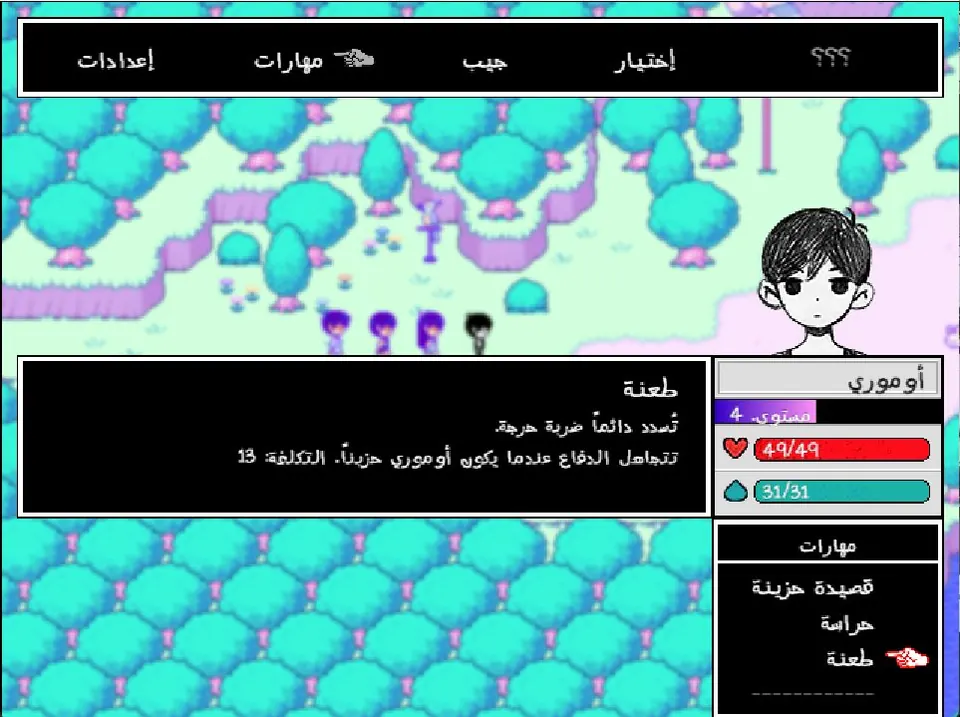
Battle log, party commands, skill bubbles, and the heart & juice bars — with a dedicated feminine form for Aubrey.
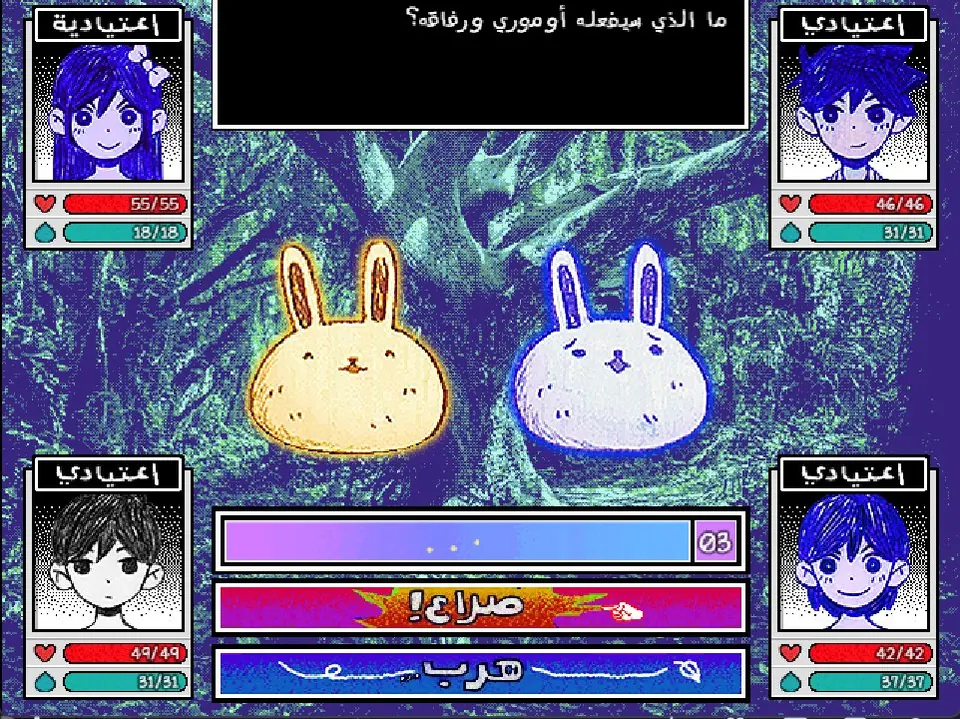
Battle interface in Arabic: heart and juice bars for Aubrey and Kel, the skill bar and the enemy counter
A skill description in Arabic during battle, with the skill name and its cost

Images

235 in-game images redrawn in Arabic to match the game's aesthetic: signs, the game-over screen, minigames, posters, and the title-screen buttons.
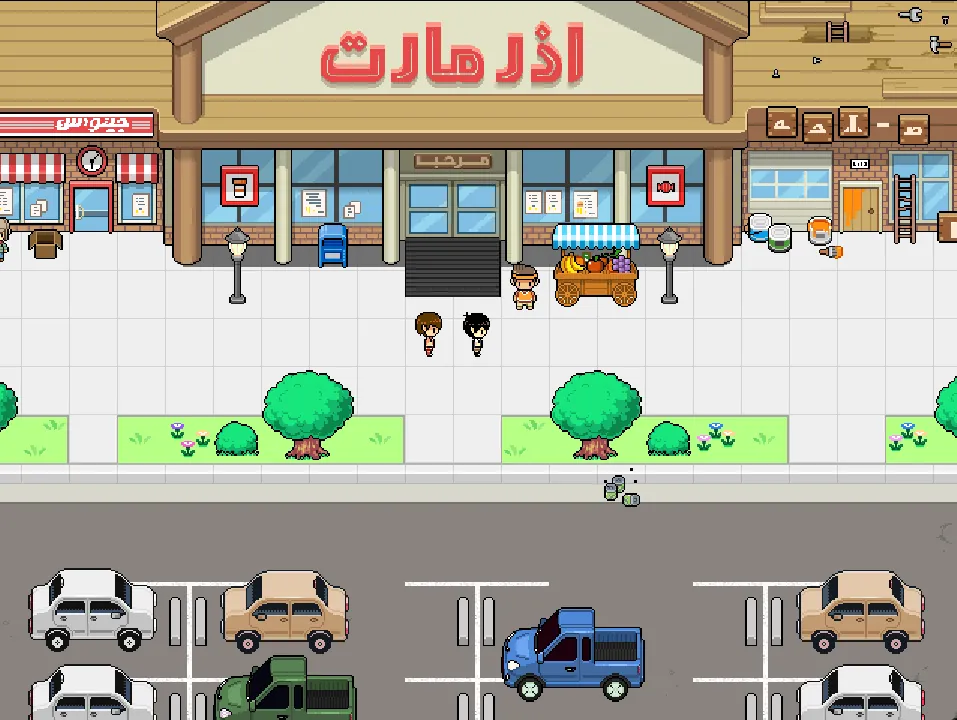
The store plaza in Arabic, with a redrawn sign above the shop and the candy cart in front

The font

The game's fonts were rebuilt to support Arabic letters — in-game text looks drawn by the game's own hand, as if it were made just for it.
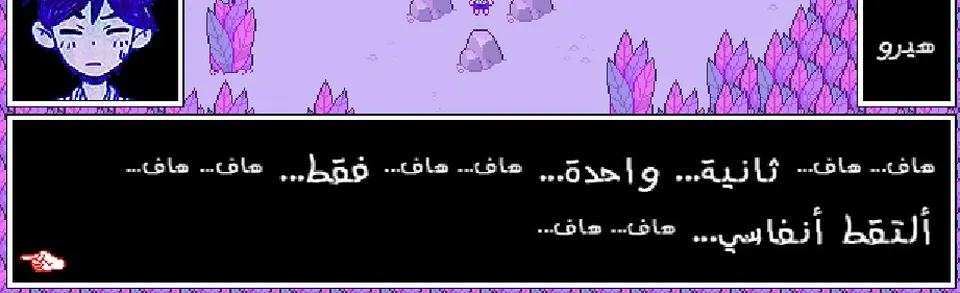
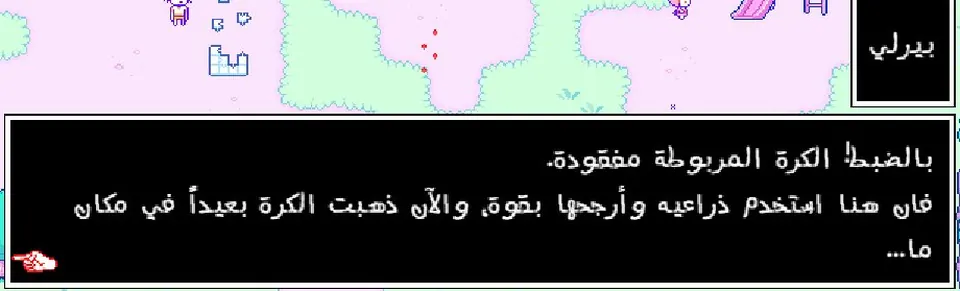
A close-up of an Arabic dialogue box showing connected letterforms, diacritics and punctuation
A close-up of an Arabic dialogue line from the game, showing the original stroke weight and line spacing

Correct Arabic

A human translation reviewed by one proofreader, Allen Wouka, making sure every word sits where it best reflects the game's spirit and mood.

Download

Pick your platform — the patch is free, and you need an original copy of OMORI.

PC available now

  • An original copy of OMORI — game version v1.0.8 (the latest)
  • The OneLoader mod loader
  • Windows 10/11 — less than 1 GB of extra space

Patch file v1.0.8.1 · 77 MB · released 28 September 2026

Install steps below ↓

Download for PC

Android available now

  • The English Android build of OMORI — the unofficial port, version v1.0.8.1
  • UniPatcher, to merge the patch on the phone
  • Android 9 or newer — and about 3 GB of extra space

Delta file OmoriAR_patch.xdelta · 153 MB · released 30 September 2026

The Android patch ships as a delta file, not as a ready-made app: you merge it into the English build yourself with UniPatcher, and out comes the full game in Arabic.

Install steps below ↓

Download the Android delta

Don't own the game? Buy OMORI on Steam

Install guide

PC

  1. Download the patch file above.
  2. Install OneLoader: open your OMORI folder (right-click the game in Steam → Manage → Browse local files), then move the OneLoader folder into omori/www.
  3. Copy the Omori AR folder into www/mods/.
  4. Launch the game — Arabic UI and text appear immediately.

Android

  1. Download the delta file OmoriAR_patch.xdelta above.
  2. Download the English Android build of OMORI (the unofficial port, v1.0.8.1) — it has to be the unmodified original, since that is what the patch was built from.
  3. Install UniPatcher from Google Play.
  4. Open Apply patch in it and pick the three files: Patch file → the delta, ROM file → the English build, Output file → a name and place for the patched copy.
  5. Tap the merge button and wait — you get a new APK, which is OMORI in Arabic.
  6. Install that file (enable "unknown sources" if asked), then launch the game — everything is in Arabic from first boot.

If the merge fails, the build you picked is usually modified or a different version — the patch only works on the exact unmodified original. And don't install any ready-made APK from outside the team's channels.

FAQ

Is it free?

Yes — like all fan translations. You still need an original copy of OMORI.

Does it change game files?

No — it installs as a side-loading mod on top of your copy. To remove it, delete the Omori AR folder and the game is exactly as it was.

Are old save files compatible?

Yes — but the character name you typed yourself appears in English, because it is stored inside the save file. In a new game the name shows in Arabic as expected.

Does it support the feminine form?

Yes — the battle log and the emotion states have a feminine version, and it appears even when Aubrey leads the party.

I installed it and nothing changed — what now?

First check that the Omori AR folder sits inside www/mods/ and that OneLoader is installed as shown in the install steps above, then close the game completely and open it again. If nothing shows up, launch the game from Steam directly and temporarily disable any other mod to rule out a conflict.

Does it work with other mods?

Usually yes — it runs on OneLoader and never replaces the game's files, though mods that rewrite dialogue or the font itself can clash on a few screens.

Does it work on Steam Deck or Mac?

The PC patch targets Windows. On Steam Deck you can try it through Proton by following the same steps inside the game folder, but it is not officially supported.

The team

Black · The Eternal Dream · Omori AR

Main translation

  • Allen Wouka

Proofreading

  • Allen Wouka

Secondary translation

  • MAZ
  • Rashed
  • Onyx

Technical work

  • kitsou
  • Black (Onyx)

Porting

  • Akai

Art direction

  • kitsou
  • Black (Onyx)

Font engineering & design

  • kitsou

Font editing

  • Onyx

Main image designs

  • Black (Onyx)

Menu & text image designs

  • kitsou

Other designs

  • Dou (DOUDOUNTS1)
  • itzksa
  • MAZ

Logo

  • kitsou

Logo engineering

  • Black (Onyx)
  • Allen Wouka

Testing

  • kitsou
  • Allen Wouka
  • MAZ

Bulletin

  • Allen Wouka
  • Onyx

Special thanks

  • Yahya for joining the translation and translating parts of the game in the project's early stages; those translations were not used later
  • OMORI#3951
  • Almondatchy (Datchy) for helping proofread the early content
  • thanks:
  • sumairi (PEPO)
  • SAM
  • swe

and you.